Golden Hour4 days left
Ranked #3
@mira.lens2h♡ 1.3k
Reservoir bridge, 7:42pm. Wind was wild today.
An internal AI prototyping workspace that brings together a sandbox of production components, AI prototyping, agent guidelines, design decisions and engineering handoffs in one place.
Rebuilding the design system and creating internal AI tools used by the team to design and develop with shared components and rules.
As mentioned in Story 01, NAPOZ prioritized shipping quickly. When I joined, I inherited an existing app and an incomplete Figma library with inconsistent typography and color, missing components, and limited guidance for new features.
Engineers filled gaps by creating components directly in code. These workarounds kept development moving but widened the gap between Figma and production. The team lacked a source of truth for how shared interface elements should look and behave.
Marketing was also considering a new brand color, making a clearer semantic color system part of the rebuild.
The challenge was to give the team a shared foundation that could support the speed the startup needed.
The existing library had inconsistent typography and color, and production had drifted from Figma. I rebuilt the foundation from tokens up.
Three cool blues and a gold. Which one is the brand? No color owned a job.
Coral = brand & category. Cobalt = figures you earn. Each color, one job.
Generic faces, flat hierarchy.
Gabarito + Geist — a named ramp with set weights and tracking.
One pale light-blue button doing every job.
A real hierarchy — primary, secondary, ghost, text, and the create FAB.
8 starter groups — foundations only.
50+ elements across 8 domains — rank, streak, leaderboard, and the cobalt AI badge.
With the tokens in place, the product's one recurring thing — a challenge — got one component family. Coral marks category and brand, cobalt marks what you've earned, and the same card changes shape for discovery, the feed, a prompt, and your standing.
"Should I join this?" → "How am I doing?"
"every shadow deserves a witness."
1.1k in · 5d left
"What's happening?"
Reservoir bridge, 7:42pm. Wind was wild today.
Reservoir bridge, 7:42pm. Wind was wild today.
"What could I start?"
Pick a spot you walk past every day. Photograph it at the same hour. The week tells a story you didn't plan.
"Where do I rank?"
The old home stacked friends' posts and live challenges into one ambiguous list under a heavy wordmark. The redesign splits Friends from For You and gives challenges their own card — countdown, rank, category — so a commitment never reads like a casual post.
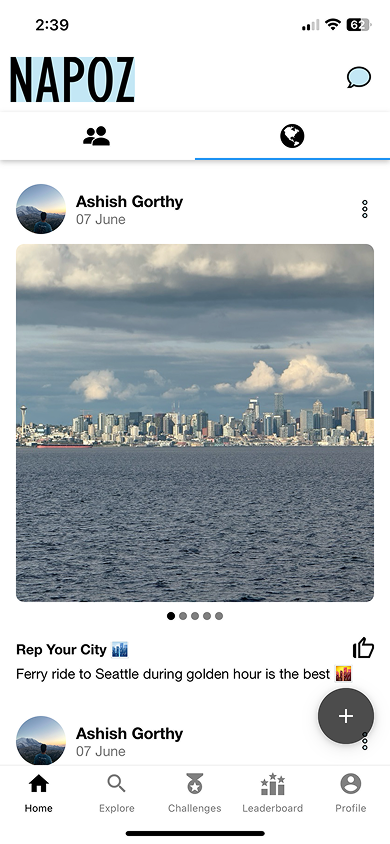
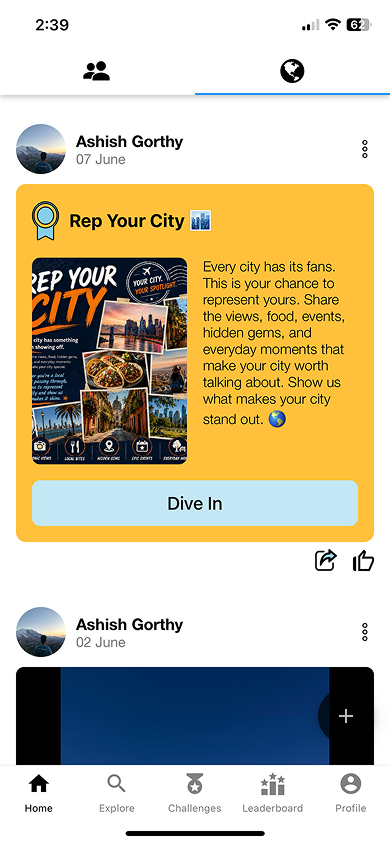
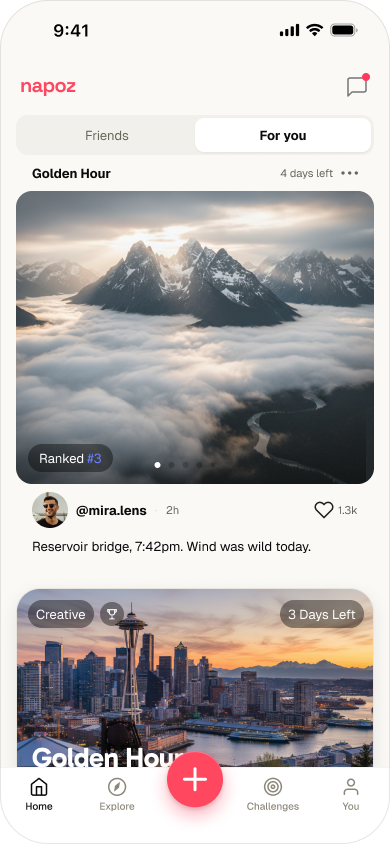
Past the home feed, the same challenge object holds its shape across every surface people use — discover it, track it. Before on the left, after on the right.
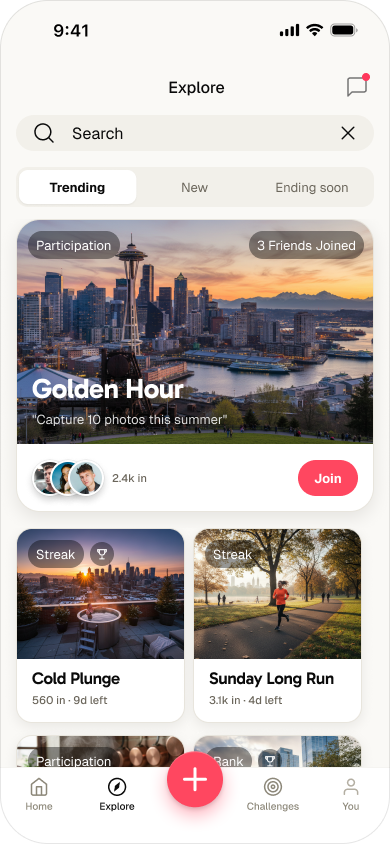
Explore was a dense list filtered by Active and Expired. The redesign leads with a featured challenge and social proof, sorts by Trending / New / Ending soon, and puts Join one tap away.
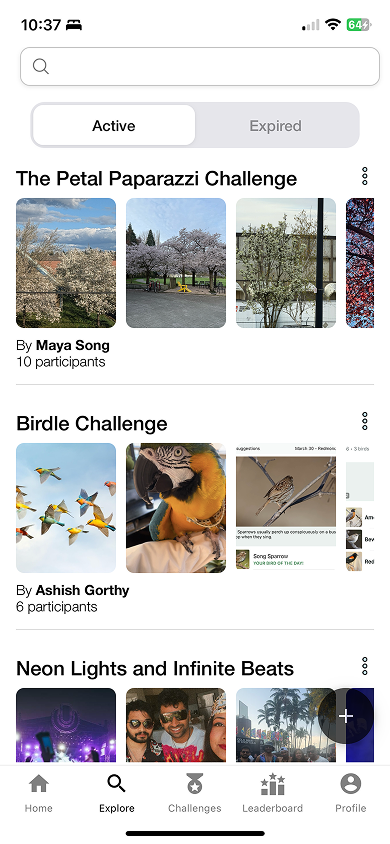
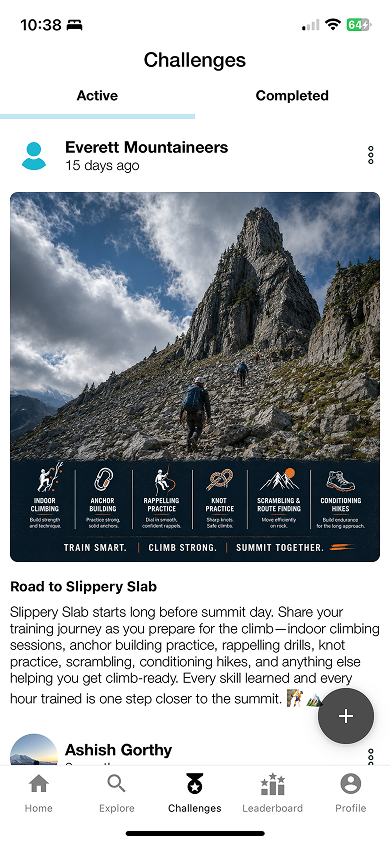
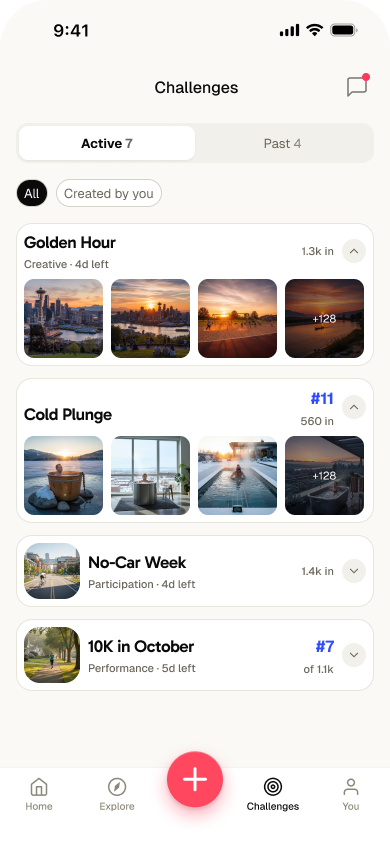
The Challenges tab buried one giant card per challenge. Now each is a compact row carrying the same metadata everywhere — category, time left, participants, your rank — so seven active challenges fit on one scannable screen.
Every weekly update meant translating the same screens three times — Figma, an AI prototype, then production code. Each handoff drifted a little, and the team spent the difference on rework. I built my own AI prototyping tool to close that gap; it grew into the team’s internal AI tools, shown in the demo at the top of this page.
Repeated Figma reads consume tokens and context without ensuring production alignment.
A sandbox grounded in the production library, with persistent agent guidelines.
Fast updates leave teammates unsure why a direction was selected or what guidance changed.
Connect variations, selected directions, rationale, and proposed guideline updates.
Flow sketches and detailed interactions need different instructions, repeated each session.
Define scope, interaction detail, mock data, and the states each prototype should include.
Engineers interpret prototype behavior and recreate it in the production React Native codebase.
Share component imports, behavior, states, and remaining implementation work.
I identified the workflow gaps, designed the internal tool and reusable guidance, and partnered with a developer to establish the prototyping sandbox.
The work also produced a rebuilt Figma library, app screens based on that library, and internal AI tools used by the team, connecting components with prototyping and handoff context.