Hidden in Plain Sight

A sustainability-discovery layer inside MyHub, Microsoft's campus app, that helps employees find, understand, and track the sustainability systems built into the places around them.

Problem
Microsoft was reinventing its campus for hybrid work. Yet employees could walk over 900 geothermal wells without knowing they existed.
Role
Lead Experience Designer · framed the 0→1 opportunity · owned experience strategy, interaction + prototyping
Team
Consulting team · Microsoft Real Estate & ECM, brand, eng
Timeline
2023 · ~100 days to exec approval
Outcome
57% of invited beta users discovered 3+ features in week one
Key Contribution
Experience strategy · IA · discovery + gamification · AR interaction model
Platform
inside MyHub apps · 10,000+ campus users
Microsoft campus had to earn the trip post-COVID.
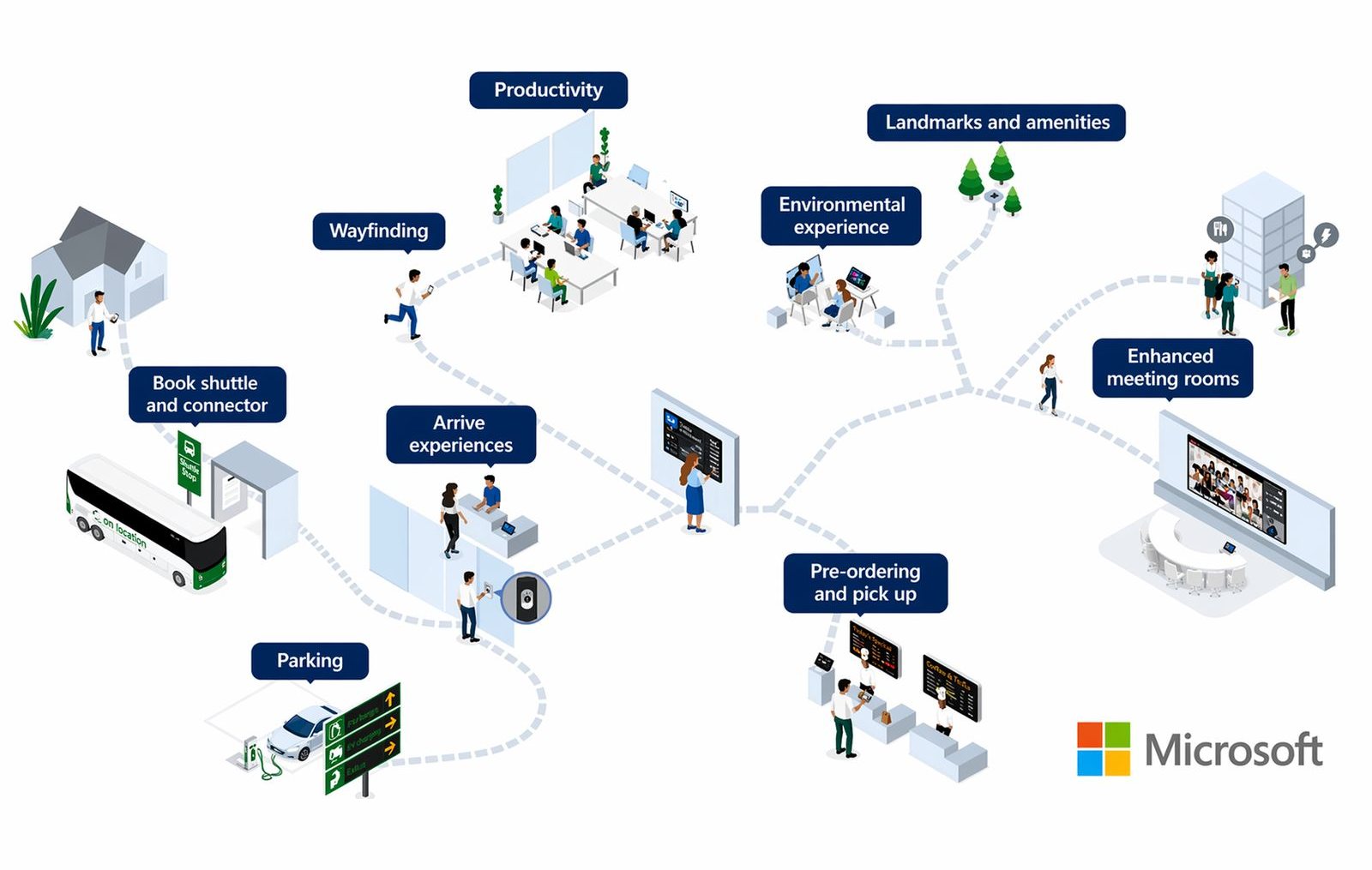
Isometric map of one employee's campus day, every step connected through the app — home, shuttle, parking, arrival, wayfinding, desks, food, meeting rooms
Hybrid reset
The campus had to earn the commute.
Microsoft's internal employee-experience work explicitly focused on creating in-person experiences employees couldn't get at home.
Digital campus
Physical + digital, by design.
Campus facilities like the cafeteria were already being connected through mobile, maps, kiosks, and workplace services.
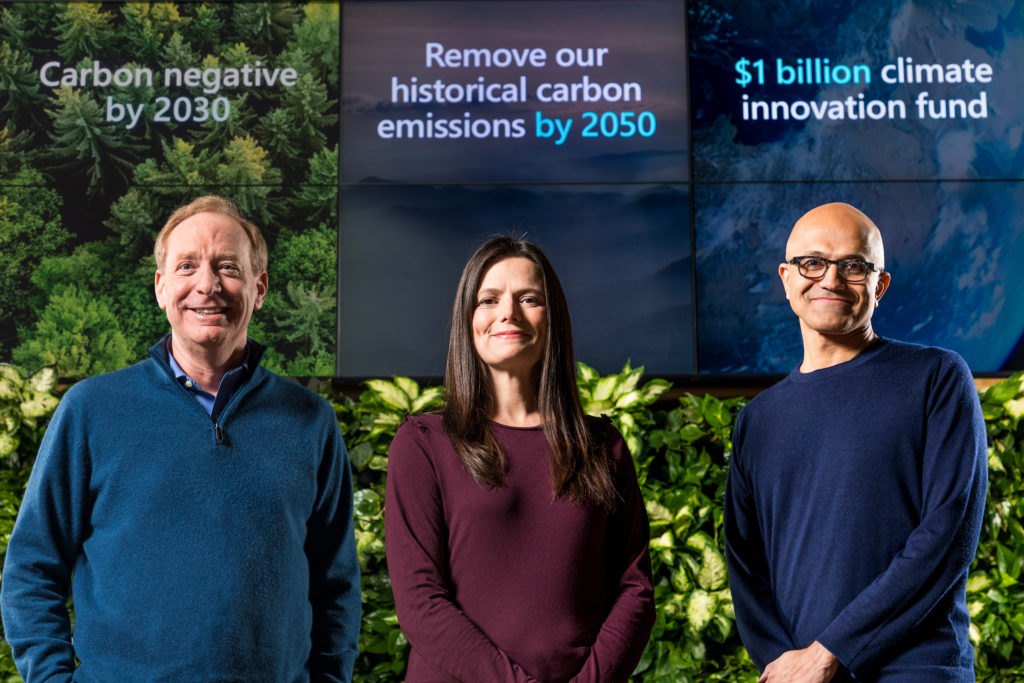
Microsoft's January 2020 climate announcement — screens behind the executives read: carbon negative by 2030, remove historical emissions by 2050, $1 billion climate innovation fund
The gap
One of the campus's defining stories had almost no experience layer.
Carbon negative by 2030 — and the campus was the living lab for it.

The infrastructure was doing its job. The experience wasn't telling its story.

That was the design opportunity.
The invisible, made discoverable
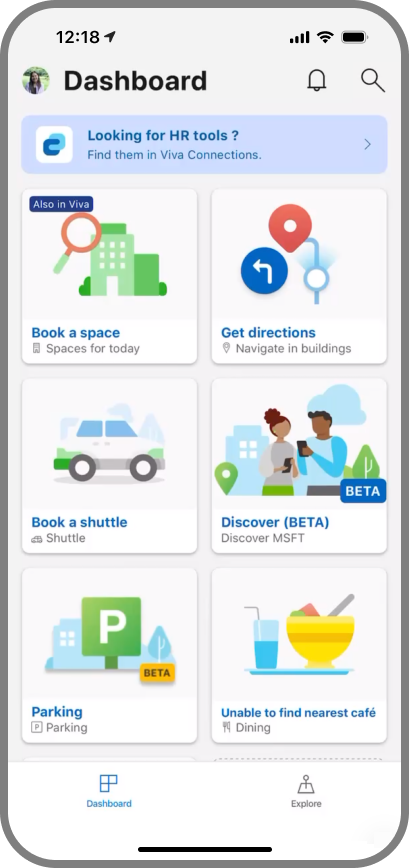
Dashboard — the discovery layer inside Microsoft's Viva employee app
Screen 00
Dashboard
Lives inside Microsoft's Viva employee app
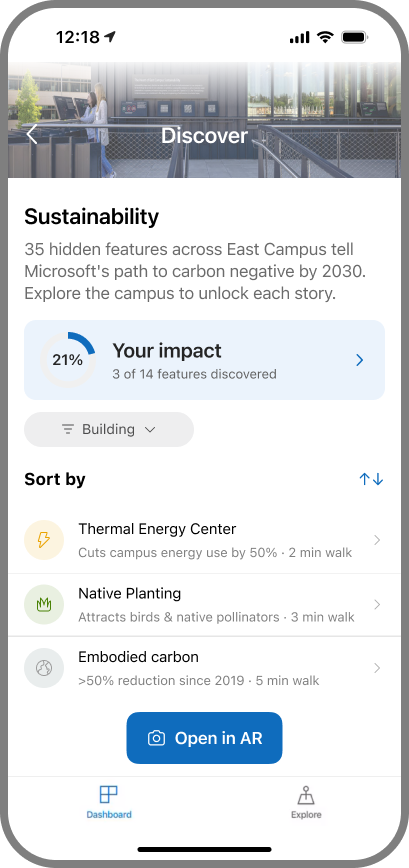
Discover — 35 hidden sustainability features across East Campus
Screen 01
Discover
35 hidden features to unlock across campus
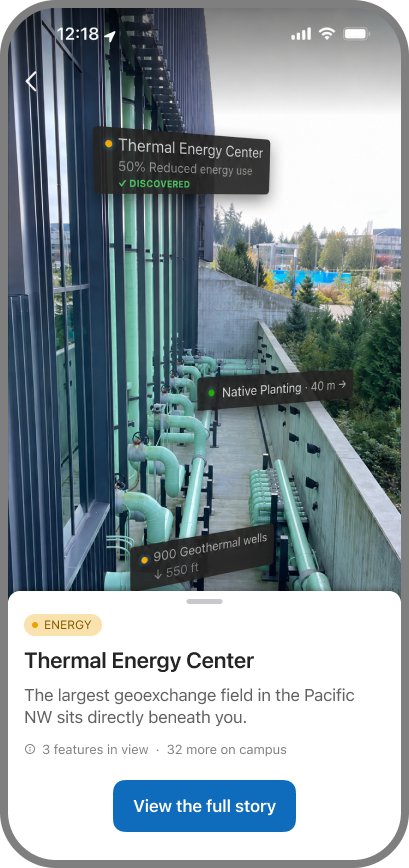
AR Camera Overlay — carbon stories pinned to the real building
Screen 02
AR Camera Overlay
The AR lens — carbon stories on the real building
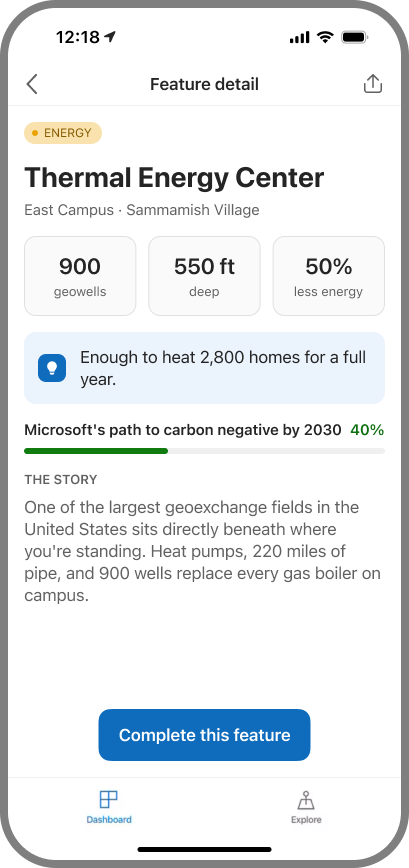
Feature Detail — the full story behind one feature
Screen 03
Feature Detail
The full story behind one feature
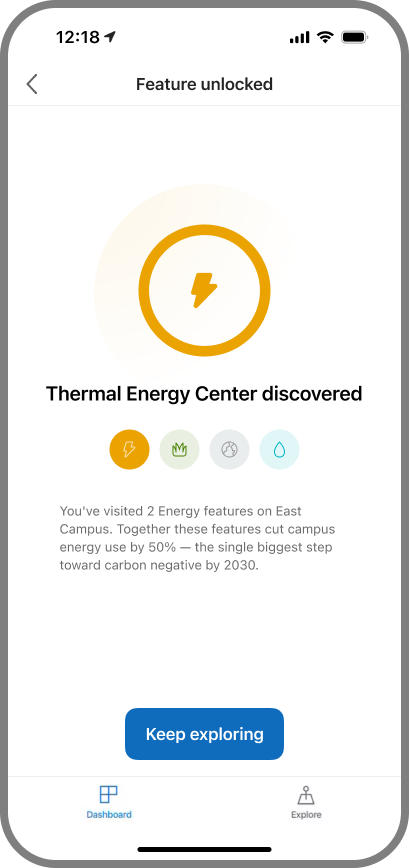
Milestone — feature-unlocked moment after a discovery
Screen 04
Milestone
Discovery unlocks a milestone moment
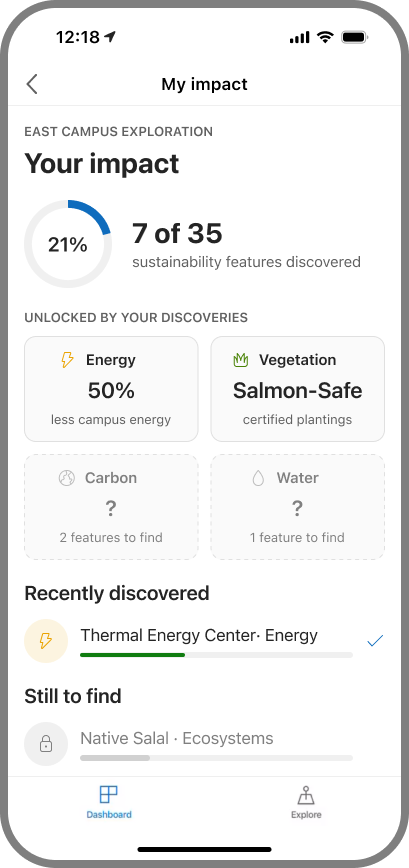
My Impact — discovery-linked sustainability stats
Screen 05
My Impact
Discoveries unlock category-linked impact stats
When the story doesn't live where you can see it

Microsoft had built extraordinary sustainability into the campus. The hardest stories were the ones physical space couldn't explain on its own.

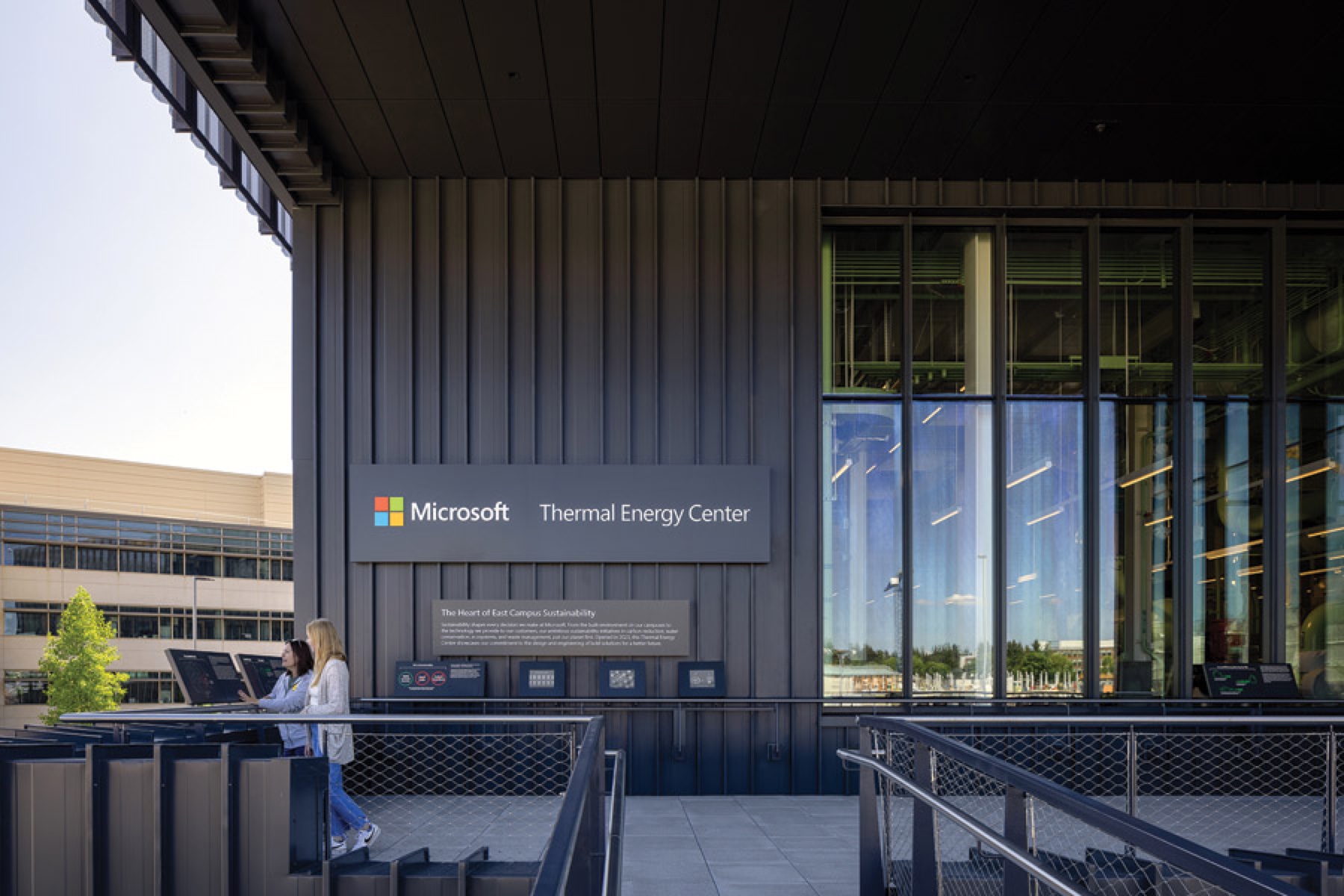
Pale-green thermal pipes running along the outside of the Thermal Energy Center
900
geothermal wells
550 ft
underground
220 mi
of pipe
Two people reading the interpretive signage panels at the Thermal Energy Center
Signage at the Thermal Energy Center — the subject right in front of it.
A round salvaged-wood medallion, the mark for furniture made from on-site timber
The salvaged-wood medallion lives on the furniture inside — not where the sign stands.
Someone raising a phone to the timber arch on campus at dusk
The timber arch — and the medium that could reach it.
The AR camera view with sustainability stories pinned onto the real building
The layer knows what you're standing next to.

During a joint review, the East Campus Modernization team surfaced a simple problem: "We have all this incredible infrastructure and nobody knows it exists." That observation became the real brief.

Nine hundred geothermal wells sit 550 feet underground. Roughly 220 miles of pipe run beneath the campus. Trees cleared during construction were milled into furniture inside the buildings.

Physical signage works beautifully when the subject is visible, fixed in one place, and understandable from where you're standing. But many of the campus's strongest sustainability stories were buried, distributed, or separated from the place where their meaning could be explained. One reused-timber story was removed from the exterior signage program with a single note: "Not clearly visible from the exterior."

The problem wasn't a lack of information. The information and the place were no longer always in the same spot.

So I didn't start by asking how to make better signs — or how to use AR.

I asked what medium could reveal an invisible, distributed, changing campus in context.

That question led to a contextual digital layer inside MyHub.
Location → surface nearby stories
Map → connect distributed systems
Camera / AR → reveal the invisible
Personal state → remember discoveries

A sign waits for you to find it. A digital layer can know what you're standing next to.

Designing the right medium
Why digital at all?

A sign can only explain what stands in front of it

The alternative was more signage. So I checked what signage needs against what these stories actually were.

NEEDS ALL SIX A SIGN WORKS WHEN… WHAT WAS TRUE DIGITAL LAYER · IN MYHUB The subject is visible It belongs to one location People know where to look The information is static One read is enough One panel holds the story 900 wells, 550 feet down Spread across buildings, landscape, underground Employees didn't know it existed Buildings, data and stories keep changing Discovery had to continue across campus Some stories connect things far apart Reveals it in AR Maps the whole system Nudges you nearby Updates in place Tracks what you've found Links story to object
Six conditions signage needs, what was true instead, and what the layer does about each.
Signage is good at a specific job.Visible, fixed, self-contained — and we were good at making it.
These stories met none of the six.Buried, spread out, unknown, and still changing.

The goal was never "use AR." It was to pick a medium that could reach them.

A sign explains a place. A digital layer connects places.
Why mobile — and why MyHub?

Don't make employees find another app

The phone already had everything the experience needed:

  • Location — knows what you're standing near
  • Map — connects distributed stories
  • Camera / AR — reveals invisible systems in context
  • Notifications — surfaces what you didn't know to search for
  • Personal state — remembers what you've discovered

And MyHub already helped employees make sense of campus. Put discovery where campus already lives digitally.

One content system. Two front doors.

For employees — the ambient entry

Nearby feature → contextual nudge → AR / detail → milestone → My Impact

Option A · App in foreground
While actively navigating
The employee is using indoor wayfinding to a room. An iOS banner drops from the top when they pass near the Thermal Energy Center — navigation is never interrupted; they tap only if curious.
In-foreground banner
No push permission needed
App is already open and routing, so iOS shows the banner with zero extra approval.
Trigger
Existing geofence, reused
The 30-metre radius fires from MyHub's current indoor positioning — no new infrastructure.
Visual system
Green = sustainability
Distinct from blue nav pins. A dashed spur marks it as an optional detour, not the route.
MyHub routing screen with in-foreground sustainability banner
Option B · Phone locked
While walking past, phone in pocket
The employee isn't in the app at all. The same geofence delivers a standard lock-screen notification — catching passive campus walkers who'd never open Explore on their own.
iPhone lock screen with MyHub sustainability notification
Standard push
Lock-screen notification
Real MyHub app icon, native iOS notification — using the push opt-in employees already grant for shuttle & booking alerts.
Tap target
Opens straight into AR
Tapping deep-links past the home screen to the feature's AR discovery view — no hunting required.
For visitors — scan to enter

Physical sign → QR scan → browser story

The sign doesn't disappear. It becomes the doorway.

Native camera scanning a QR code printed on a campus sign
Scan — the existing signPoint the native camera at the QR already printed on the campus signage. Nothing to install; the sign on the wall is the entry point.
QR detected, the AR layer anchoring to the location
Anchor — the story loads in placeThe code is recognized and the layer anchors to the exact spot, so the story appears where the visitor is standing.
Wayfinding — discovery, mapped

Every story pinned to where it lives

An Explore map keeps the digital layer and the physical campus in sync — each sustainability feature sits exactly where it stands, so discovery feels like exploring a place, not scrolling a list.

Explore map with sustainability features pinned at their real campus locations
In placeEach feature pins to its real location on campus, so the map and the building stay in sync as you walk.
Zoomed-out Explore map clustering features by campus zone
Whole campusZoom out and features cluster by zone — a quick read on how much there is to find across East Campus.
Testing where the experience actually lives

The experience had to respond to the real campus

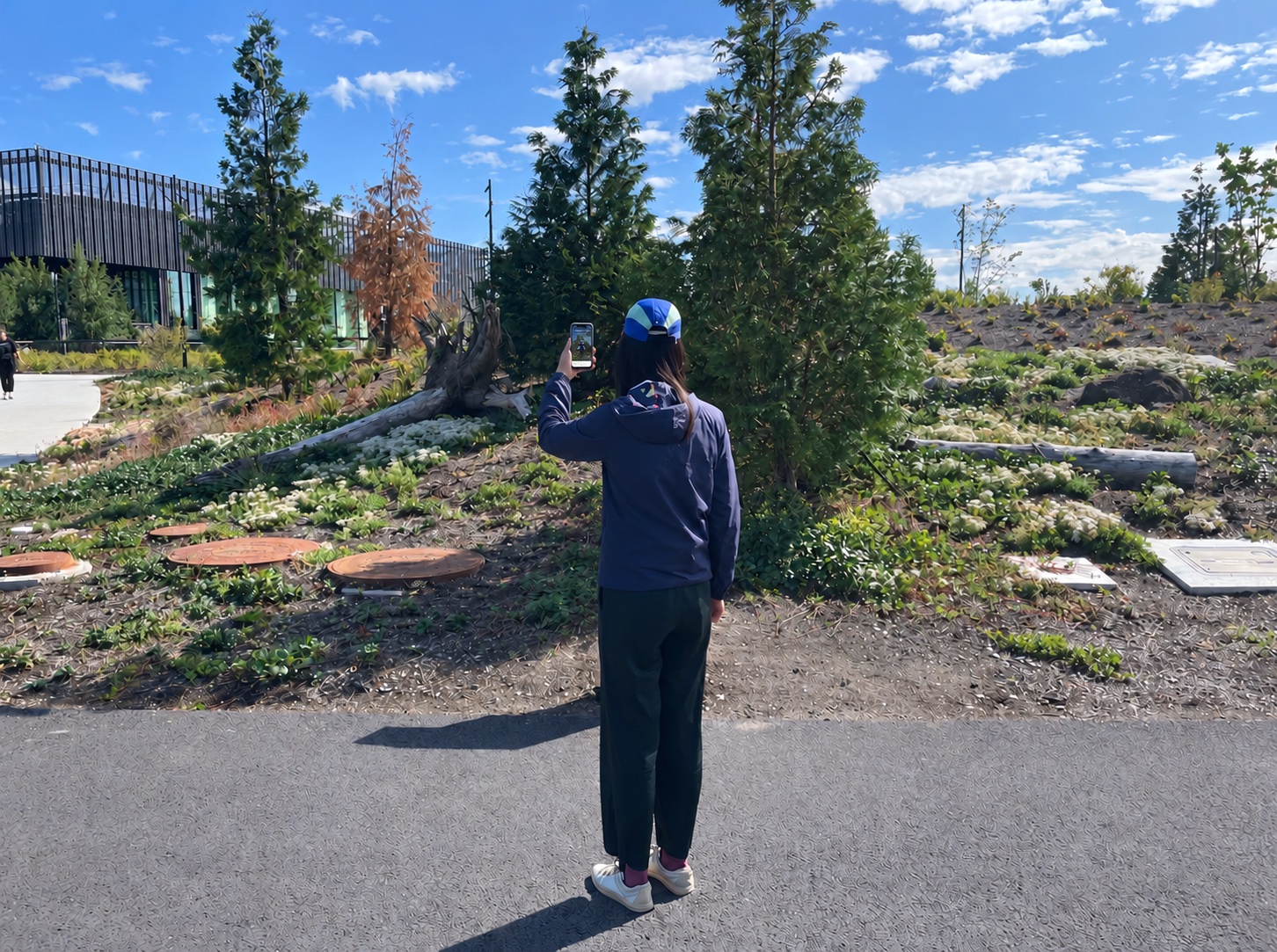
On-site testing of the AR overlay against the real Redmond campus environment
The interaction model had to hold up against real conditions — sightlines, walking behavior, outdoor context, device position, distance, and divided attention.
Outcome
57%
of invited beta users discovered 3+ features in their first week
+38%
lift in understanding of a space's carbon cost (beta study)
35 stories
hidden sustainability features mapped and shipped inside MyHub
The same layer, next modality

The system works because it is fundamentally information anchored to place, not because it belongs to a phone. A future spatial device could make the interaction more ambient:

GLANCE ASK KEEP
Glance
A marker attached to the place itself
Ask
The story becomes hands-free
Keep
Discovery still updates the same personal record

The harder design problem was never the device. It was deciding what a place should say when it can finally speak.

Next project
The AI in the Room — Privoce