The AR Experience

The camera mode of MyHub's sustainability-discovery layerPart 01 →: how distance decides what you see, how the overlay stacks on the real campus, and what changes as you walk up, lock on, look around, and leave.

Problem
Every AR demo assumes the camera has found the object. On a real campus it mostly hasn't — dusk, glare, wet surfaces, and an anchoring service that can be switched off. The layer had to work before the lock, not after it.
Role
Lead Experience Designer · AR interaction model design · Site testing
Team
2 designers (Microsoft contractors) · Real Estate & ECM, brand, eng (Microsoft partners)
Timeline
2022 Q4 – 2023 Q2, ~100-day approval
Outcome
Adaptive UI system, Spatial interaction model template (mobile), Shipped in beta
Key Contribution
Two-tier positioning · world/screen split · distance standard · 7-state component
Platform
iPhone · inside MyHub · GPS + beacons (10–33 ft) · spatial anchors (inches), 2023
The walk-up

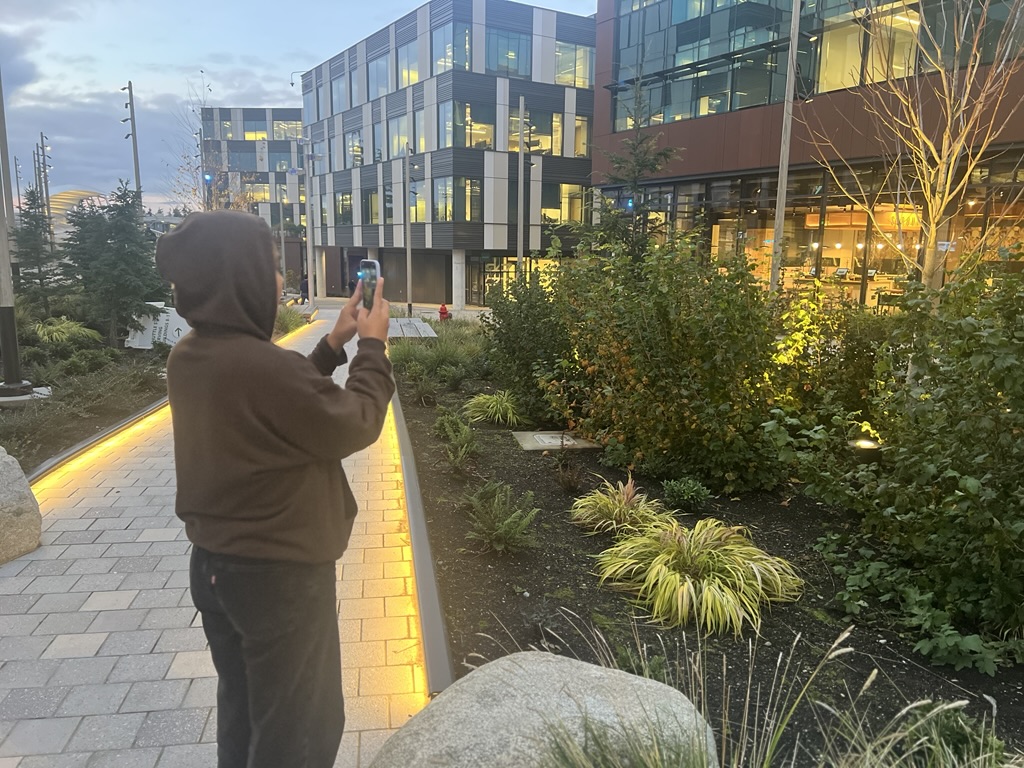
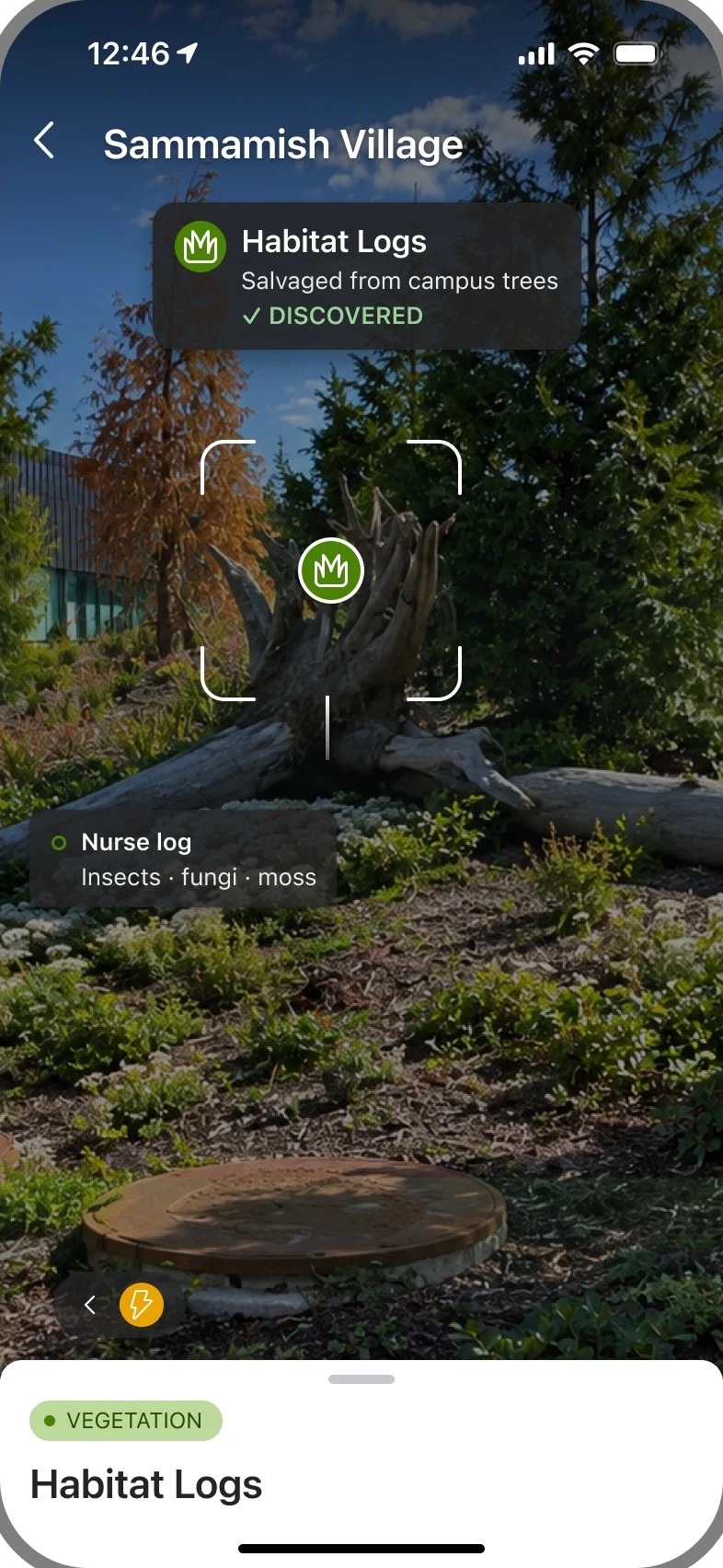
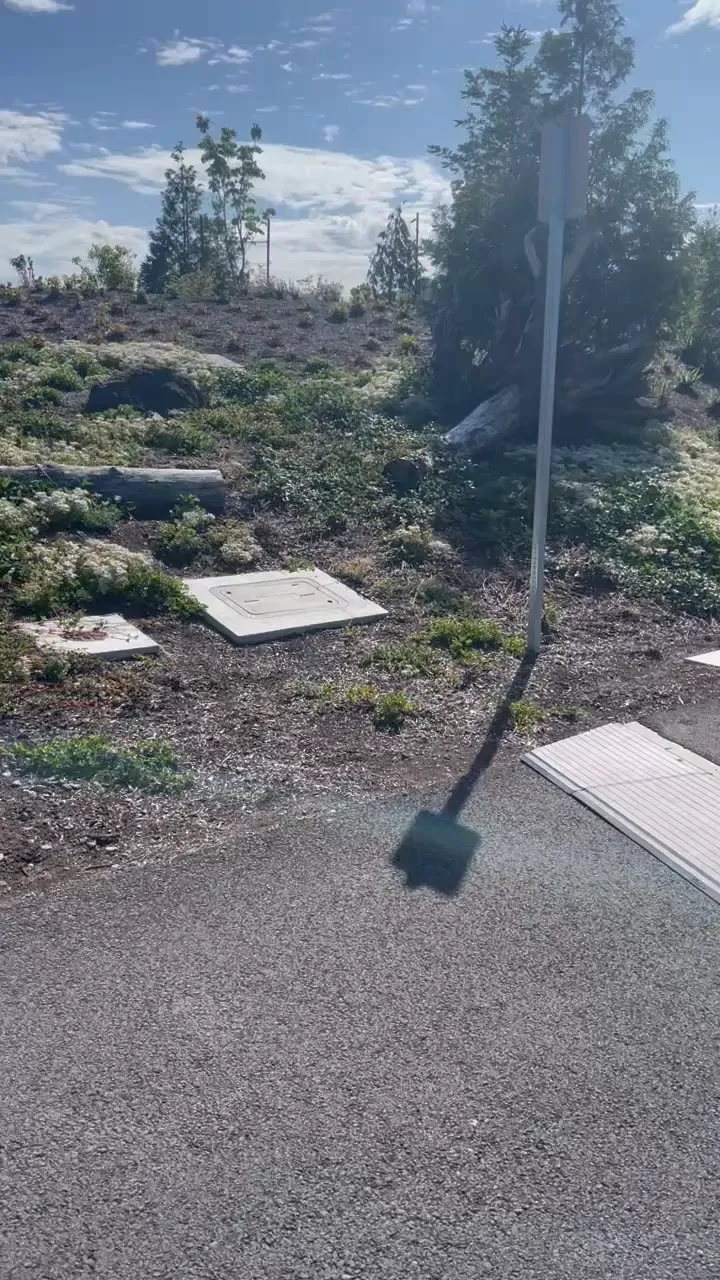
Habitat Logs, East Campus — approach, discover, lock, read.

The chip appears on proximity alone. The brackets, the badge on the object and the facts pinned to its parts arrive when the camera finds the anchor — and the layer is whole without them.

Recorded on the walk · muted · loops

Part 01 · MyHub Discover Integration Curious how people got to the camera? Part 01 is the whole design journey — why Microsoft wanted it, the discovery loop from dashboard to milestone, and what 100 users did in their first week. Read Part 01
Distance isn't a label. It's the variable the layer runs on.

Distance

Feet until it's two minutes away. Minutes after that.

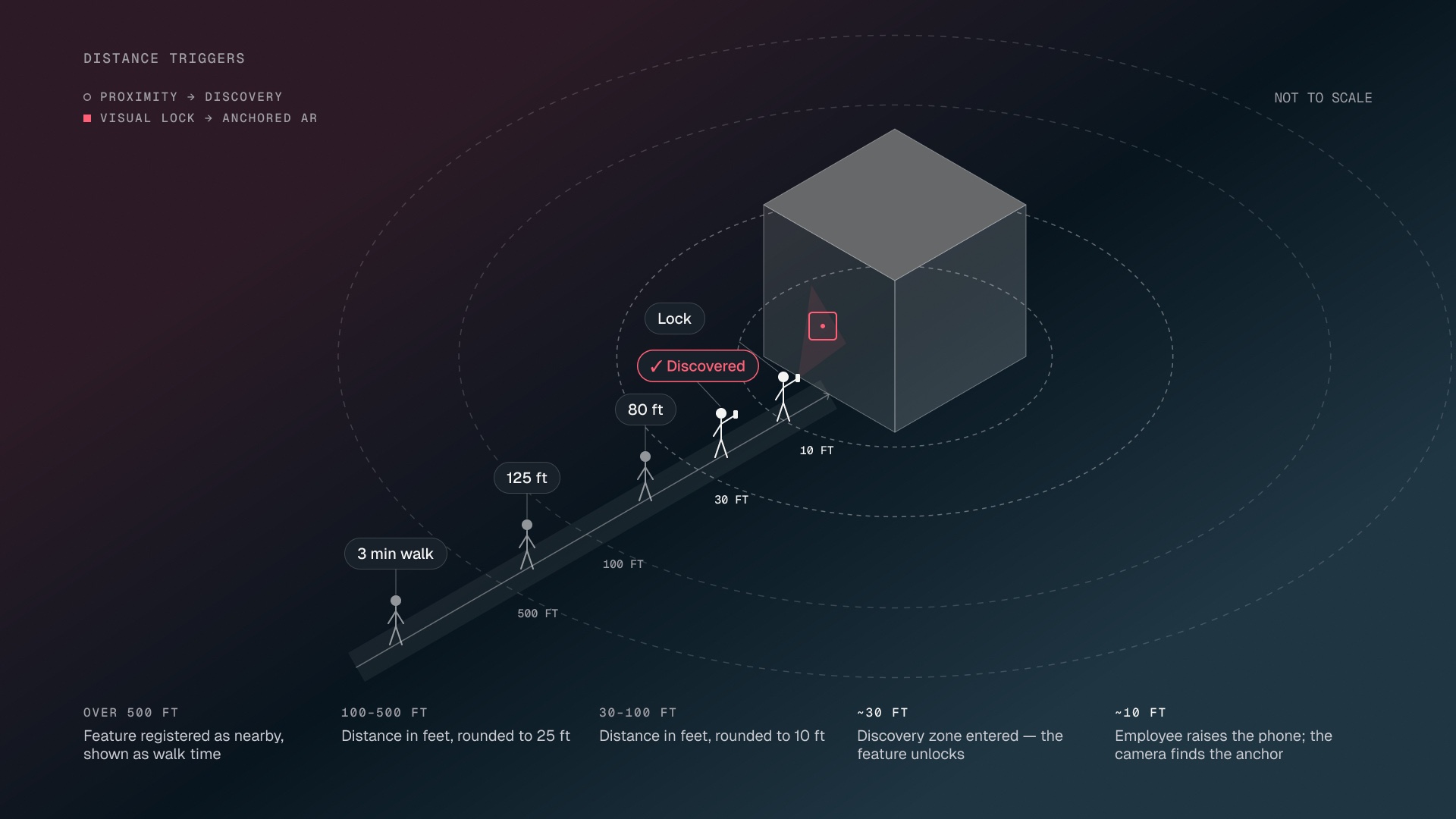
Isometric diagram of the distance triggers on a walk toward a feature: over 500 feet it is registered as nearby and shown as walk time; 100 to 500 feet in feet rounded to 25; 30 to 100 feet rounded to 10; at about 30 feet the discovery zone is entered and the feature is discovered; at about 10 feet the person raises the phone and the camera finds the anchor
Distance triggers · proximity → discovery · visual lock → anchored AR · not to scale
Under 100 ft
Feet, to the nearest 10 — 80 ft
100–500 ft
Feet, to the nearest 25 — 125 ft · 400 ft
Over 500 ft
Walking minutes at 265 ft/min — 3 min walk

Never both units for one distance. Dimensions aren't distances — 550 ft deep is a fact about the thing. And chips never scale with distance: the number carries it, so the layout holds still while you walk.

Seven states

One walk, ordered by distance.

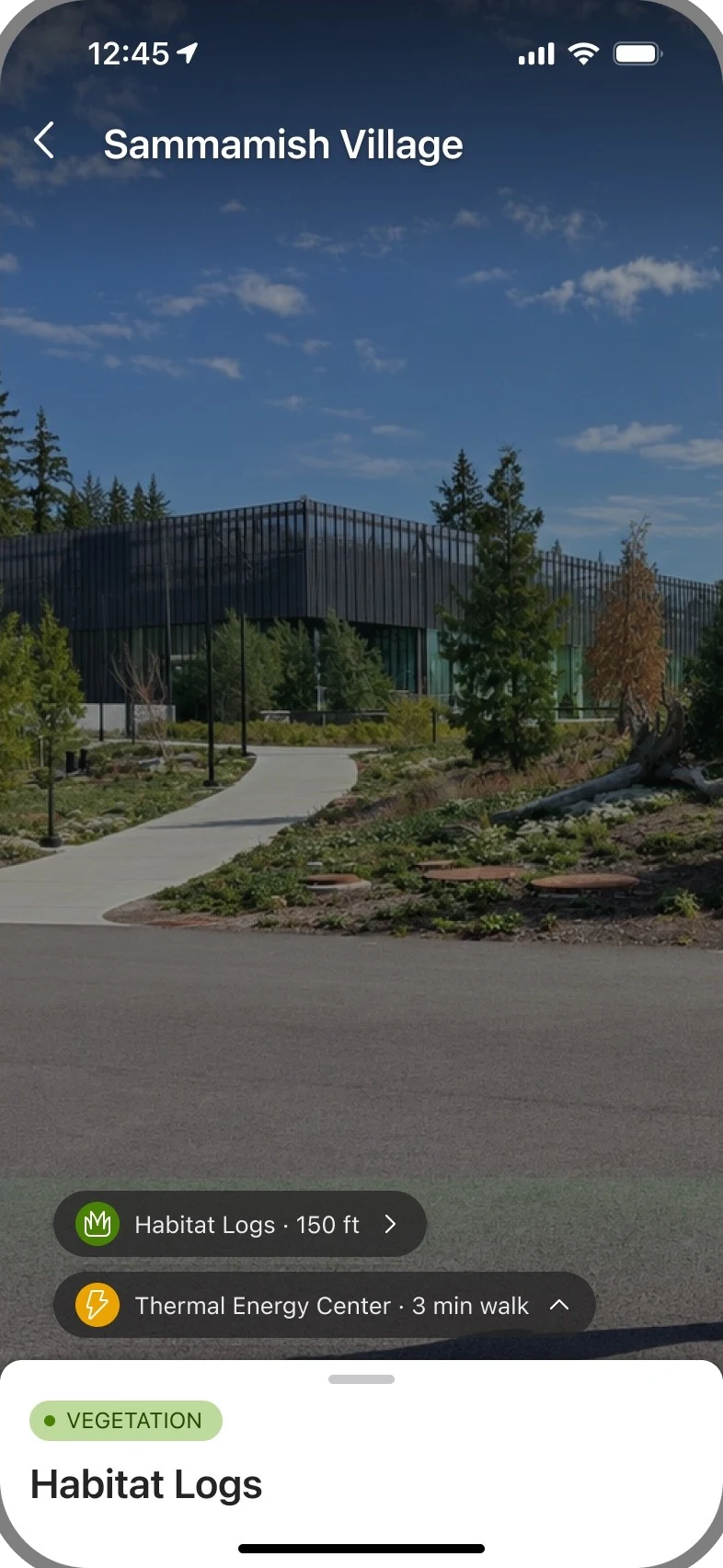
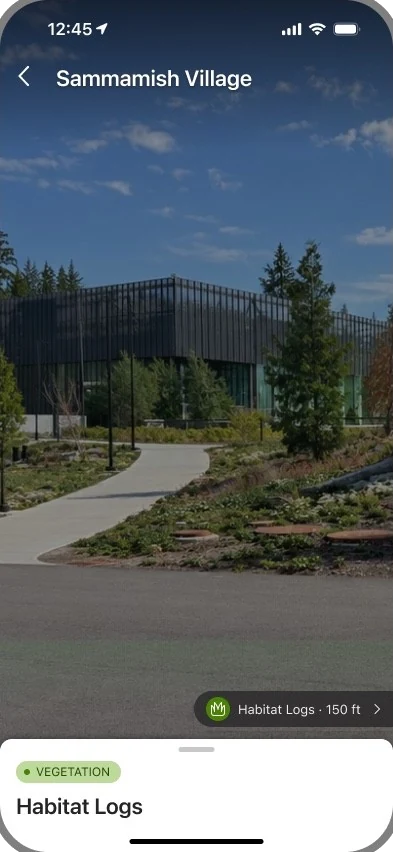
Approach, 150 feet: two pills docked at the bottom of the camera — Habitat Logs 150 ft, Thermal Energy Center 3 min walk
State 01
Approach
150 ft
Two pills in the dock: the feature ahead, the route's next stop in walking minutes
Off-screen, 100 feet: the pill has slid to the right edge and flattened into a tab, chevron pointing out
State 02
Off-screen
100 ft
The pill slides to the edge and flattens into a tab, chevron pointing out
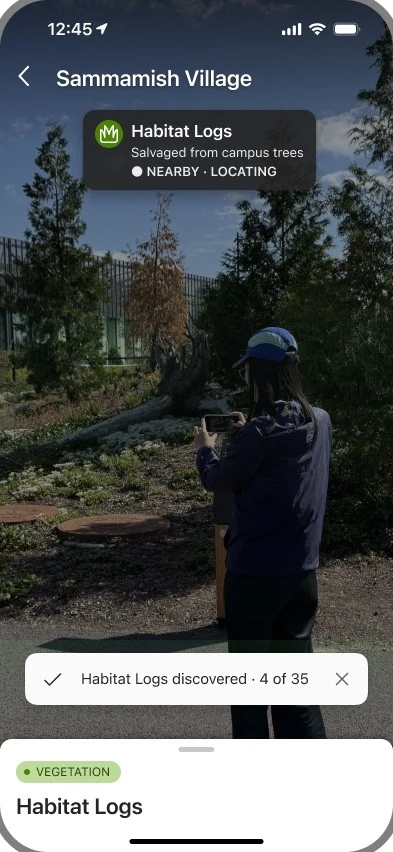
Arrive, 30 feet: a toast reads Habitat Logs discovered, 4 of 35; the primary chip shows Nearby, Locating with no brackets yet
State 03
Arrive
30 ft
Proximity fires: the toast, and the primary chip — unlocked, nearby · locating
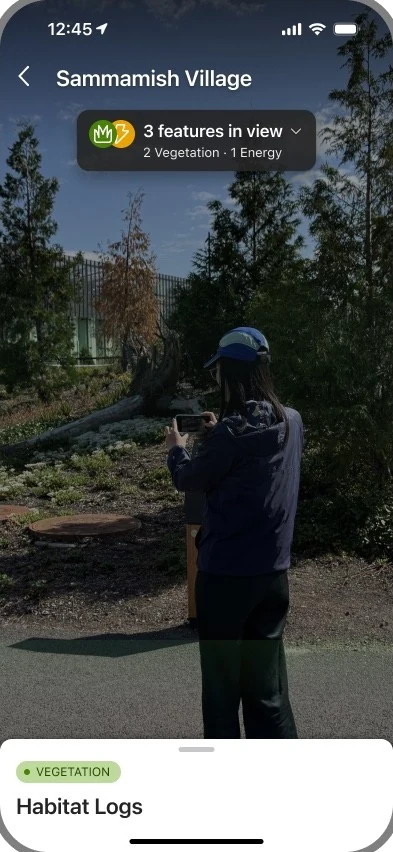
Grouped, 30 feet: a fresh arrival with three features in view and nothing locked — one group chip, 3 features in view, 2 Vegetation, 1 Energy
State 04
Grouped
30 ft
A fresh arrival with three in view and nothing locked: one group chip, counted by category
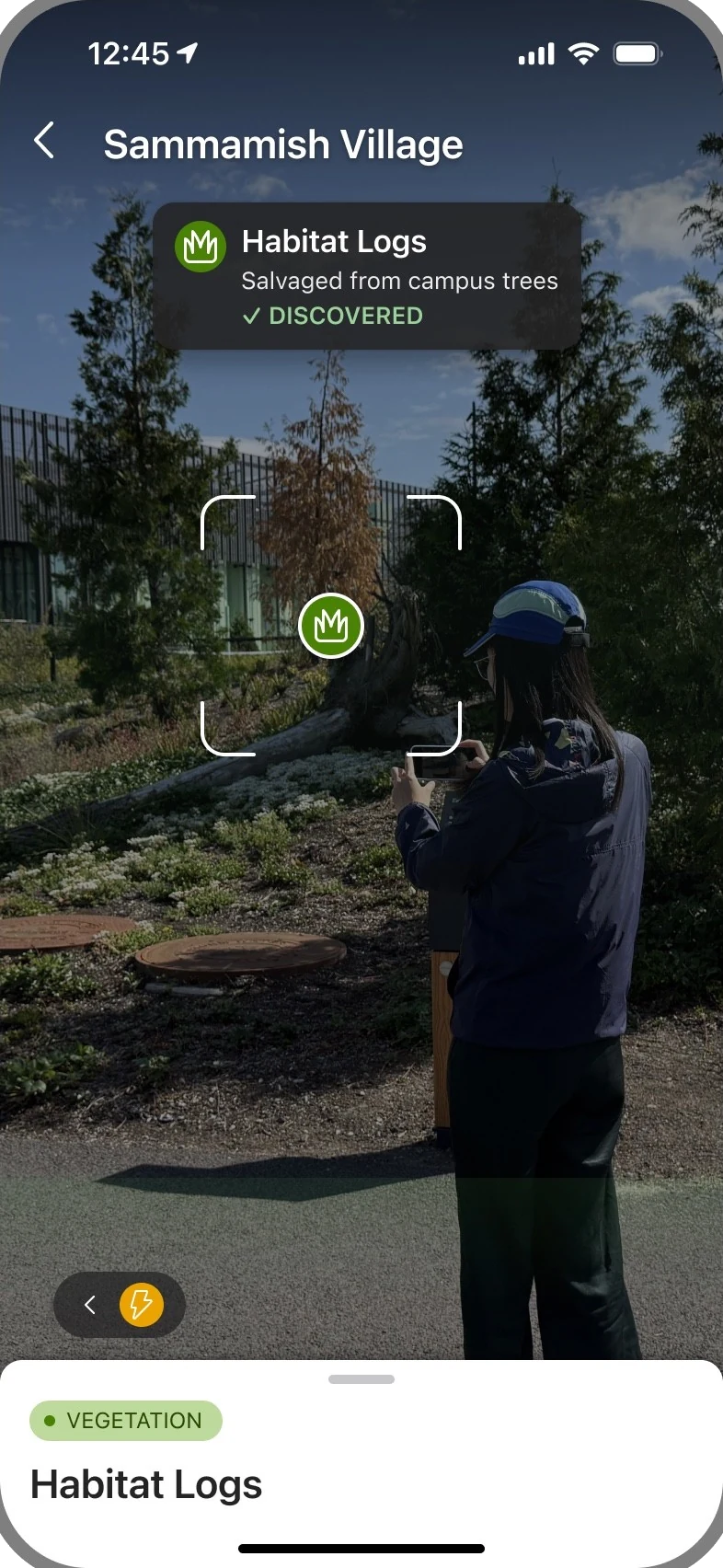
Locked, 30 feet: corner brackets frame the logs, the category badge sits on the object, the chip reads Discovered
State 05
Locked
30 ft
The camera finds the anchor: brackets frame the logs, the badge lands, the stem draws
Near, 10 feet: a fact label with a short leader on the nurse log — Insects, fungi, moss
State 06
Near
10 ft
Fact labels appear on the parts — Nurse log · insects · fungi · moss
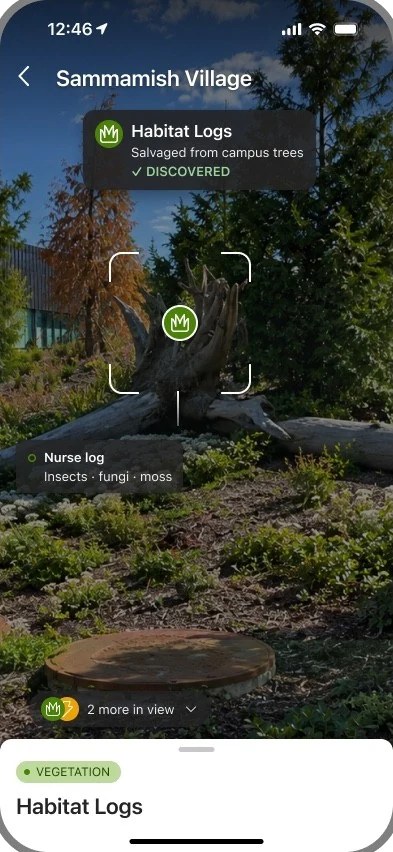
More in view, 10 feet: the locked chip stays; two newcomers are folded into one pill reading 2 more in view
State 07
More in view
10 ft
Two newcomers fold into one pill; the chip you're reading never collapses

Decision 01Proximity-based progressive disclosure

At 150 ft, an ambient pill docks above the sheet: another feature, and which way.

At 30 ft, proximity fires. The primary chip takes the top slot — unlocked, nearby · locating — before the camera has found anything.

Arrive with three or more in view and nothing locked, and they share one group chip, counted by category.

The lock adds precision, not presence. When the camera finds the anchor, still at 30 ft, the reticle and badge land on the object and the chip turns ✓ discovered.

At 10 ft, fact labels appear on the parts — one part, one fact. Newcomers fold into a more pill, so the chip you're reading never collapses.

The layer is whole before the lock. The lock only makes it exact.

Decision 02Screen layout

Three zones, three purposes.

Top · Identify. A stable chip names the current feature and shows its discovery status. At a 90% fill, it's the most solid thing on screen.

Middle · Connect. World-anchored markers and facts connect sustainability information to the physical feature. Fact labels sit at 80% fill, and nothing screen-anchored lives here.

Bottom · Explore and collect. The current feature's expandable sheet provides access to more details, its full story, and the option to collect it. The ambient pills dock just above it at 75% fill — the least important chip is the most see-through.

Text stays at 100% opacity, always: transparency lives on the fill, never the layer. Stacked opacities had been multiplying — 90% × 70% left subtitles at 4.3 : 1 over bright sky. Moving it onto the fill took the worst string to 7.4 : 1.

Identify the feature, understand it in place, then explore and collect it.
Progression

In view, a pill. Past the frame, a tab.

YouLeft · chevron left12° to 35°, left third of the frameAhead · chevron upwithin 12° of straight onRight · chevron right12° to 35°, right third of the frameEdge tab · leftpast 35°, out of frameEdge tab · rightpast 35°, out of frameBehind · edge tabpast 90°, on the side of the shorter turn
Bearing zones · designed from the camera's ~70° field, not field-tested

Two loops, no gates. Walking and panning navigate discovery; swiping navigates stories. The sheet rises to peek on tap; the full story is always a second, explicit action. Discovered is automatic — "I was physically here." Completed is explicit — "I did this stop." Never "unlocked": every story is open to everyone, including from a desk.

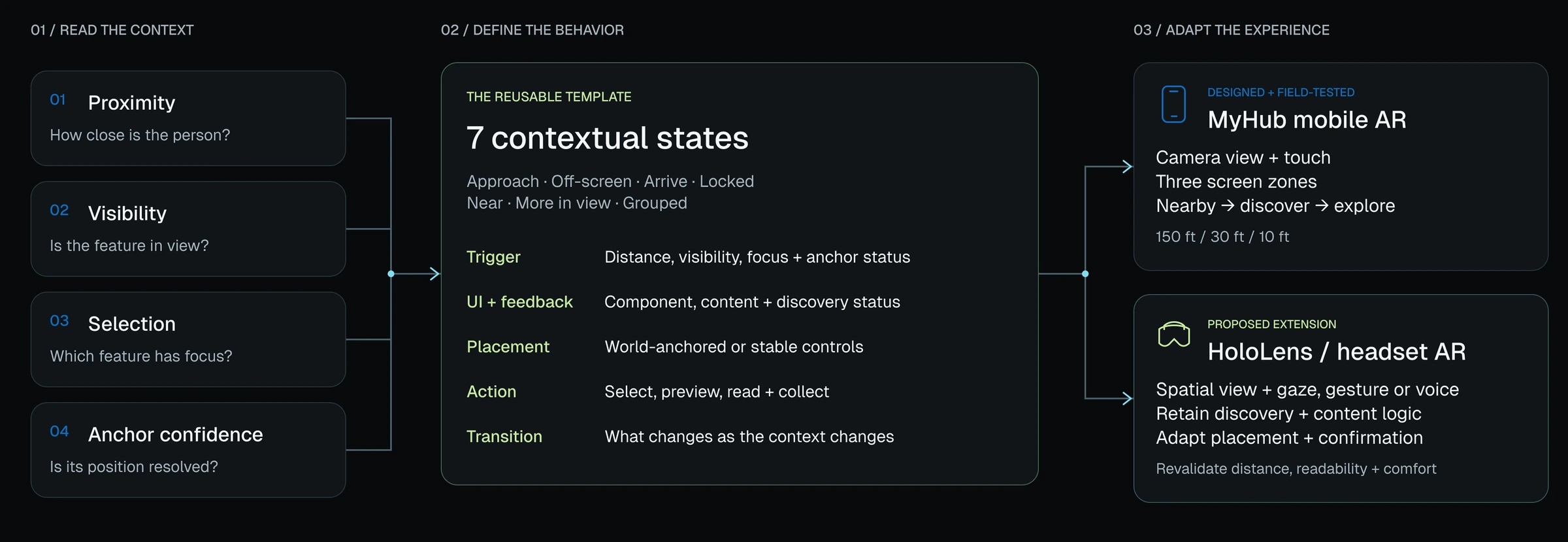
From a campus experience to a reusable spatial framework
Spatial interaction framework. 01, read the context: proximity — how close is the person; visibility — is the feature in view; selection — which feature has focus; anchor confidence — is its position resolved. 02, define the behavior: the reusable template, seven contextual states, each with a trigger, UI and feedback, placement, action and transition. 03, adapt the experience: MyHub mobile AR, designed and field-tested — camera view and touch, three screen zones, nearby to discover to explore, at 150, 30 and 10 feet; and HoloLens or headset AR, a proposed extension — spatial view with gaze, gesture or voice, keeping the discovery and content logic, adapting placement and confirmation, then revalidating distance, readability and comfort
Spatial interaction framework · mobile to headset
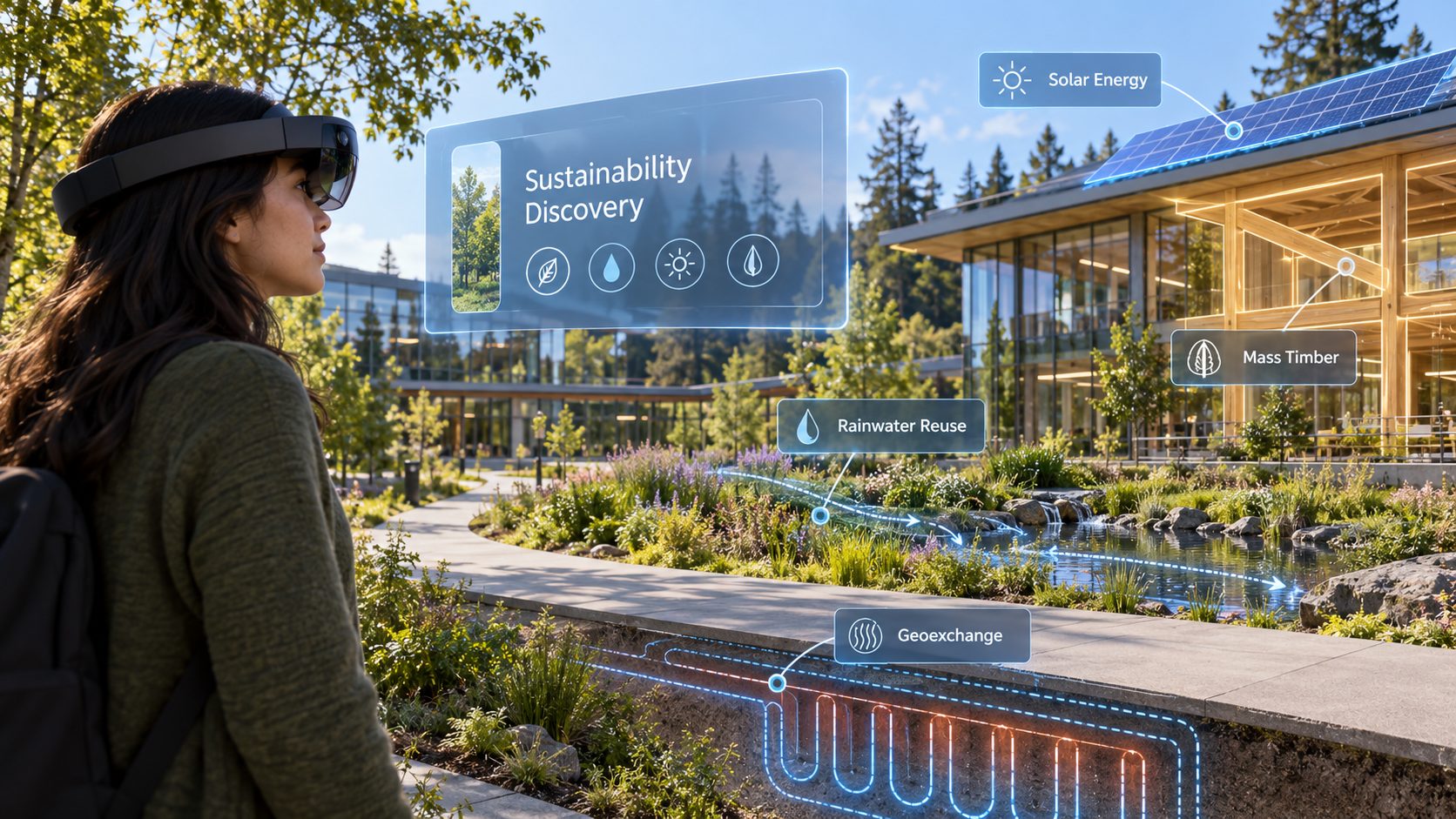
Concept: someone on East Campus wearing a HoloLens, a Sustainability Discovery panel floating ahead, labels pinned to the places around them — Solar Energy on the roof, Mass Timber on the building, Rainwater Reuse along the stream, Geoexchange loops drawn under the path

Under a tight MVP timeline, we prioritized delivery through MyHub while preparing for Microsoft’s planned second phase: sustainability discovery on HoloLens. Discovery logic, content relationships, and progress tracking can carry forward, while touch interactions and screen layouts are adapted to gaze, gesture, voice, and spatial placement—then validated for headset readability and comfort.

Next project
Social Media App Redesign — Napoz
→