Golden Hour4 days left
Ranked #3
@mira.lens2h♡ 1.3k
Reservoir bridge, 7:42pm. Wind was wild today.
Napoz is a social mobile app where anyone can start a group challenge — from a 30-day streak meditation to a friendly burpee contest or a neighbourhood café hunt — invite others to join, and share progress together.
To increase engagement, we looked at product analytics screen by screen. Create Challenge stood out:
The numbers were a signal, not an explanation. I tried the flow myself and conducted user research to understand why.
User interviews confirmed the pattern: Creating a challenge felt difficult and time-consuming.
Napoz needed to support wildly different challenges without making people configure every possibility.
The problem wasn't a lack of ideas. It was how much work stood between an idea and “Post.”
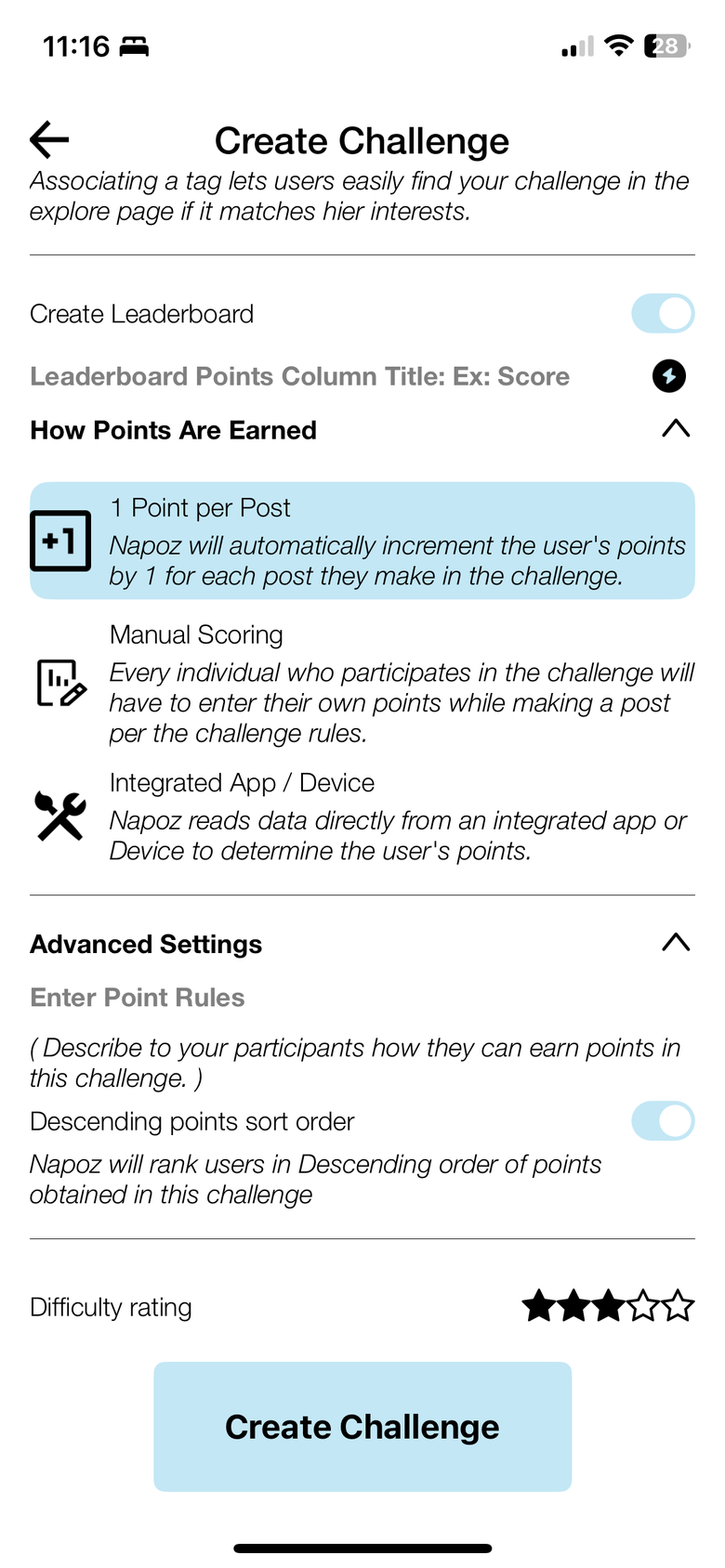
Napoz had tried to support almost any kind of challenge by giving creators more options. But flexibility had become configuration: rules, measurements, difficulty, expiry, images, copy — a dozen small decisions before anything could go live.
Instead of redesigning ten steps, I looked for the structure underneath them.
That led to three underlying models: Rank, Streak, and Participation. They gave an open-ended product enough structure to become simple.
As I rebuilt Create, I realized the existing design system couldn't support the product we were designing.
The library had inconsistent typography and color, production had drifted from Figma, and key components were missing — engineers sometimes created them directly in code.
So I rebuilt the system: a new brand color, new type system, expanded component library, and clearer rules for how the product should look and behave.
The redesign moved complexity out of the user's path at three levels: simplify the challenge model, rebuild the shared interface system, and reduce the effort required to create.
Every challenge asked for the same setup, whatever it was: turn on a leaderboard, name its points column, pick how points are earned, write the point rules, set a sort order, rate the difficulty. All of it before you had described the idea itself.
The redesign asks what kind of challenge it is, and the screen answers with only the settings that kind needs.
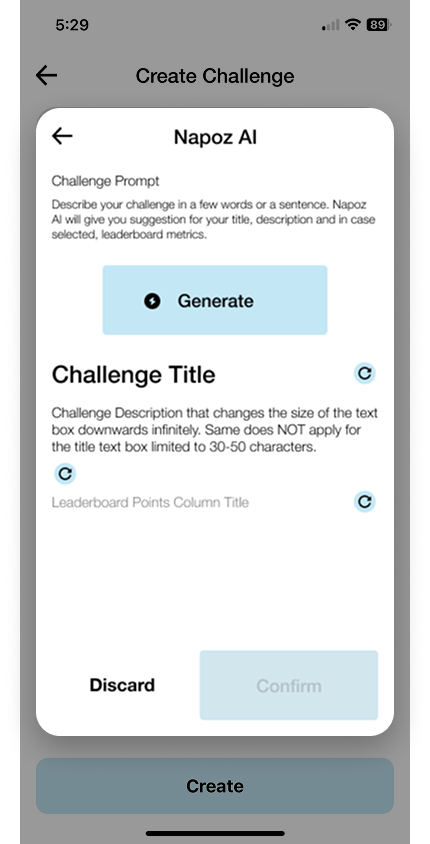
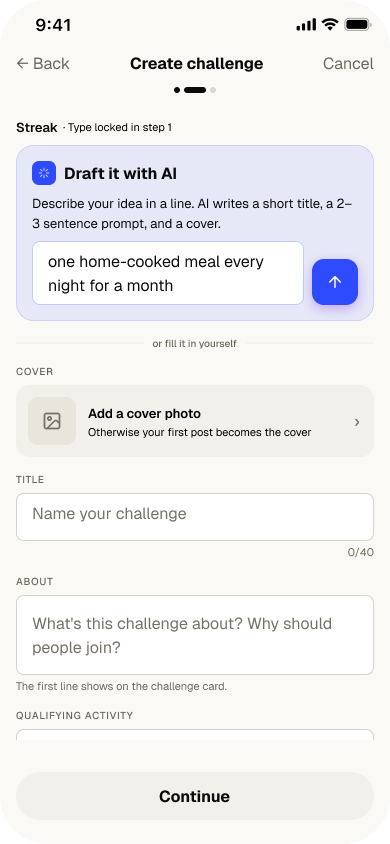
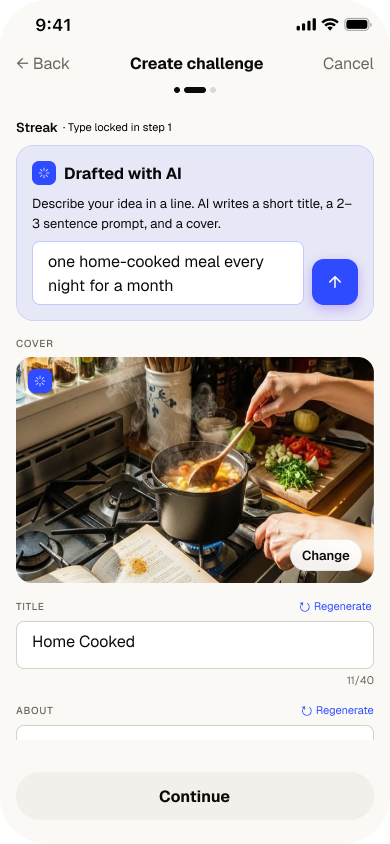
Even after simplifying the framework, creation still asked people to write. I proposed an AI-assisted path, but the founder initially pushed back on model cost and engineering effort.
I worked with engineering to test a lightweight implementation and brought back a functioning text-generation prototype instead of another pitch. That changed the conversation. The feature was approved and shipped.
And AI got its own color. The drafter speaks cobalt — deliberately separate from the coral brand — so an AI action never masquerades as an ordinary one, and you always know when the machine is writing.
"Should I join this?" → "How am I doing?"
"every shadow deserves a witness."
1.1k in · 5d left
"What's happening?"
Reservoir bridge, 7:42pm. Wind was wild today.
Reservoir bridge, 7:42pm. Wind was wild today.
"What could I start?"
Pick a spot you walk past every day. Photograph it at the same hour. The week tells a story you didn't plan.
"Where do I rank?"
The existing library had inconsistent typography and color, and production had drifted from Figma. I rebuilt the foundation from tokens up.
Three cool blues and a gold. Which one is the brand? No color owned a job.
Coral = brand & category. Cobalt = figures you earn. Each color, one job.
Generic faces, flat hierarchy.
Gabarito + Geist — a named ramp with set weights and tracking.
One pale light-blue button doing every job.
A real hierarchy — primary, secondary, ghost, text, and the create FAB.
8 starter groups — foundations only.
50+ elements across 8 domains — rank, streak, leaderboard, and the cobalt AI badge.
The old home stacked friends' posts and live challenges into one ambiguous list under a heavy wordmark. The redesign splits Friends from For You and gives challenges their own card — countdown, rank, category — so a commitment never reads like a casual post.
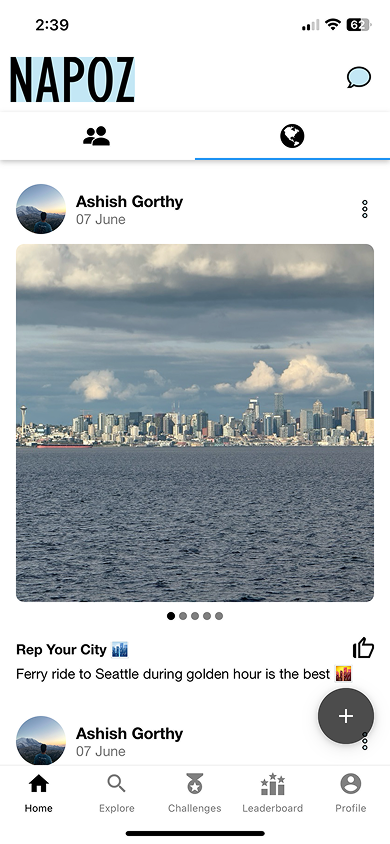
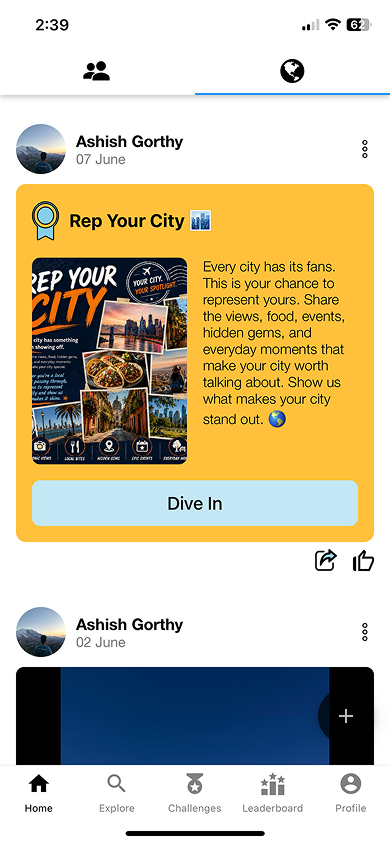
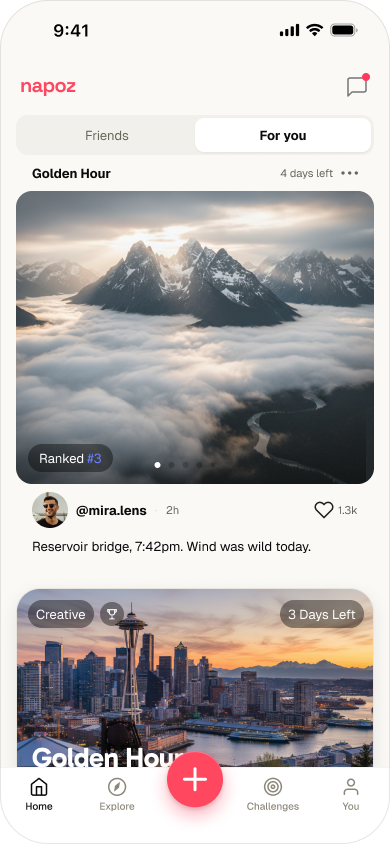
Past the home feed, the same challenge object holds its shape across every surface people use — discover it, track it. Before on the left, after on the right.
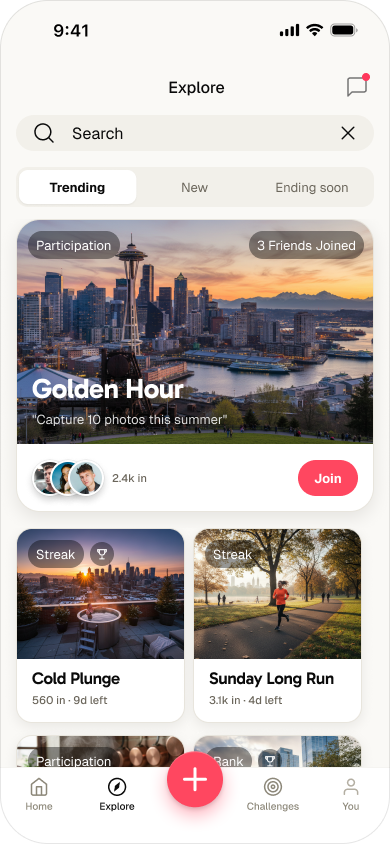
Explore was a dense list filtered by Active and Expired. The redesign leads with a featured challenge and social proof, sorts by Trending / New / Ending soon, and puts Join one tap away.
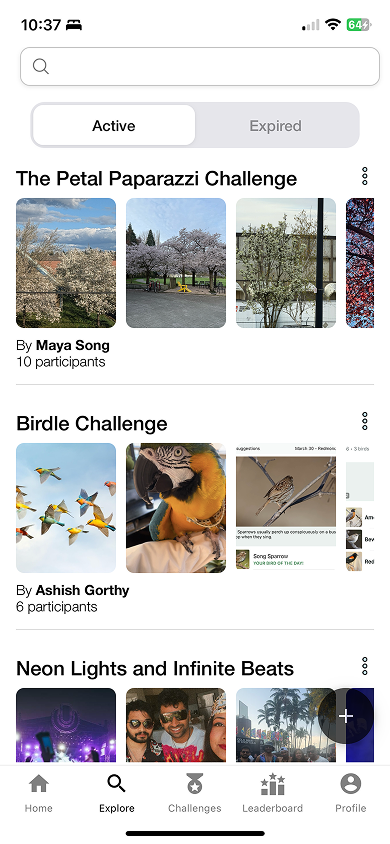
The Challenges tab buried one giant card per challenge. Now each is a compact row carrying the same metadata everywhere — category, time left, participants, your rank — so seven active challenges fit on one scannable screen.
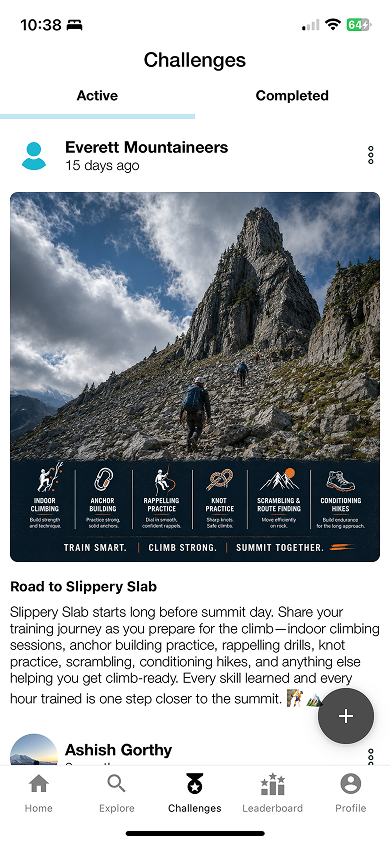
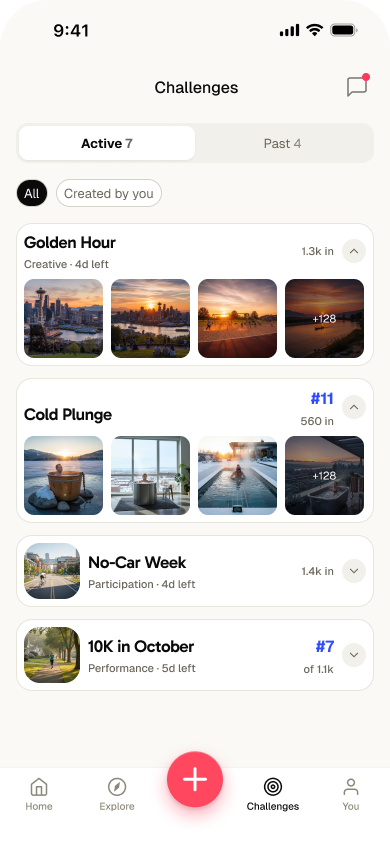
Napoz still supports wildly different challenges. Users just don't have to configure every possibility themselves.
Napoz is live on iOS and Android — see it on the App Store.