Role
Lead Product Designer · defined the consent model · designed the AI worklog end-to-end
VoceSpace is a video workspace for remote teams. AI Analysis turns selected work signals into a timestamped daily worklog — helping individuals remember and reflect on their work, while giving teams progress visibility without another status meeting.
Hybrid work created a visibility gap: employees felt productive, while leaders weren't always convinced. Microsoft's Work Trend Index captured the disconnect:
But the opportunity wasn't only managerial visibility. For an individual worker, a passive worklog can become memory infrastructure: what did I work on, where did my time go, what did I finish, and where should I pick back up tomorrow?
AI offered a new answer for both sides: observe selected work signals and turn them into a useful record automatically.
The same mechanic that makes the feature useful also makes it dangerous: it watches your screen.
That created the product tension:
Can ambient AI work for the individual first — then create team awareness without turning into bossware?
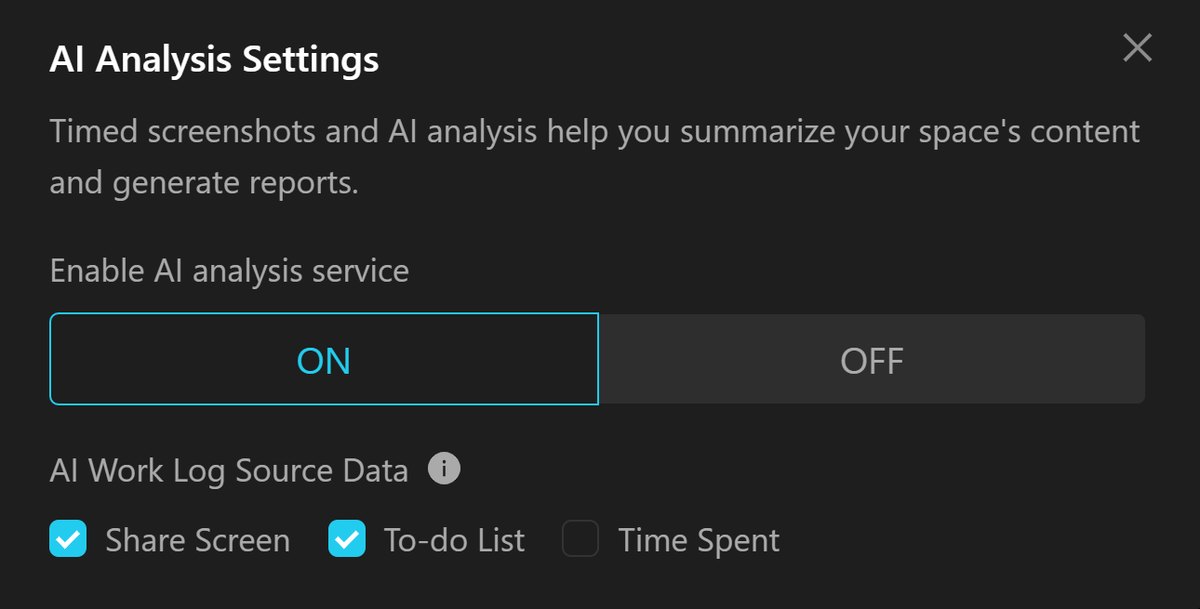
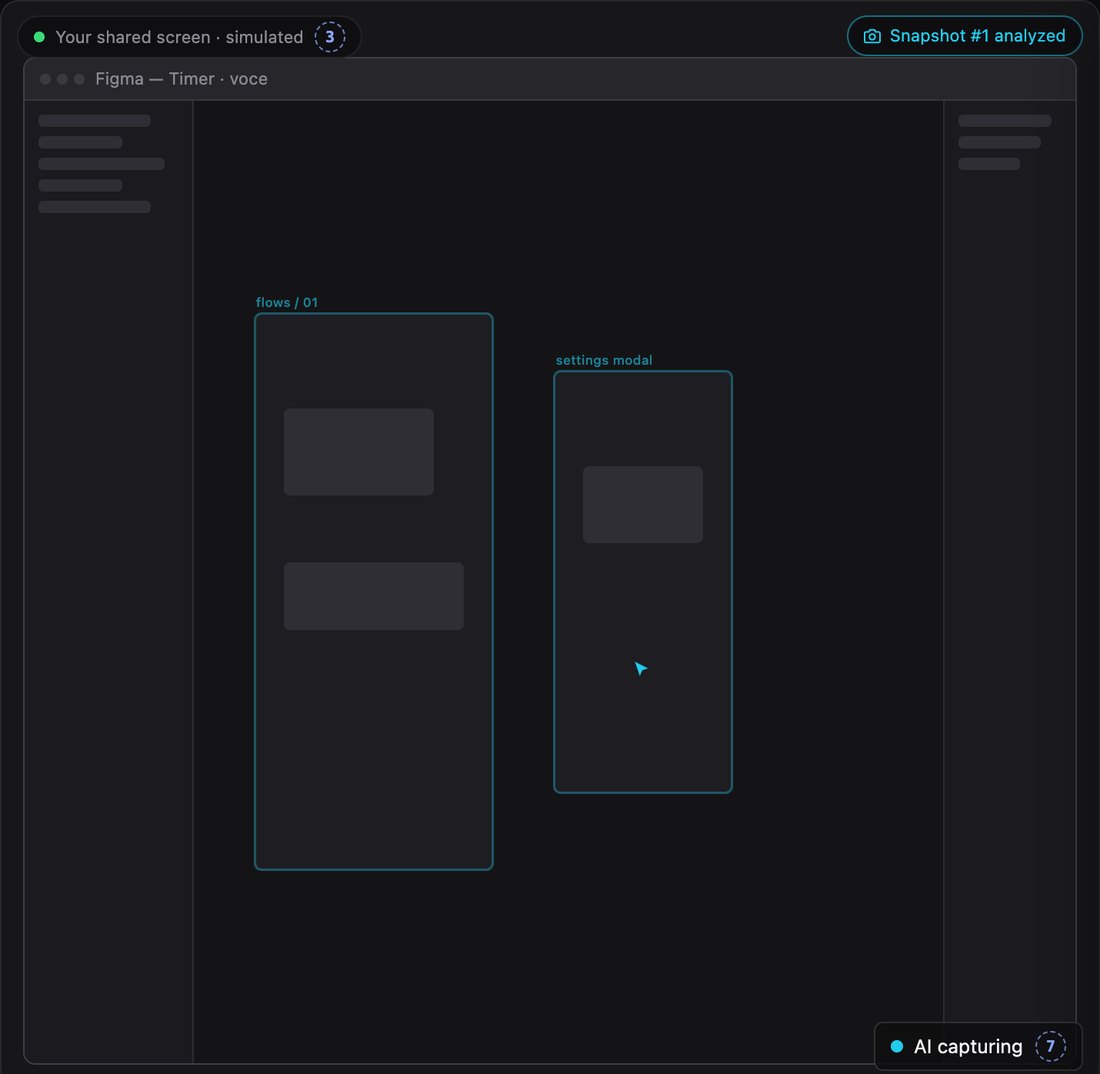
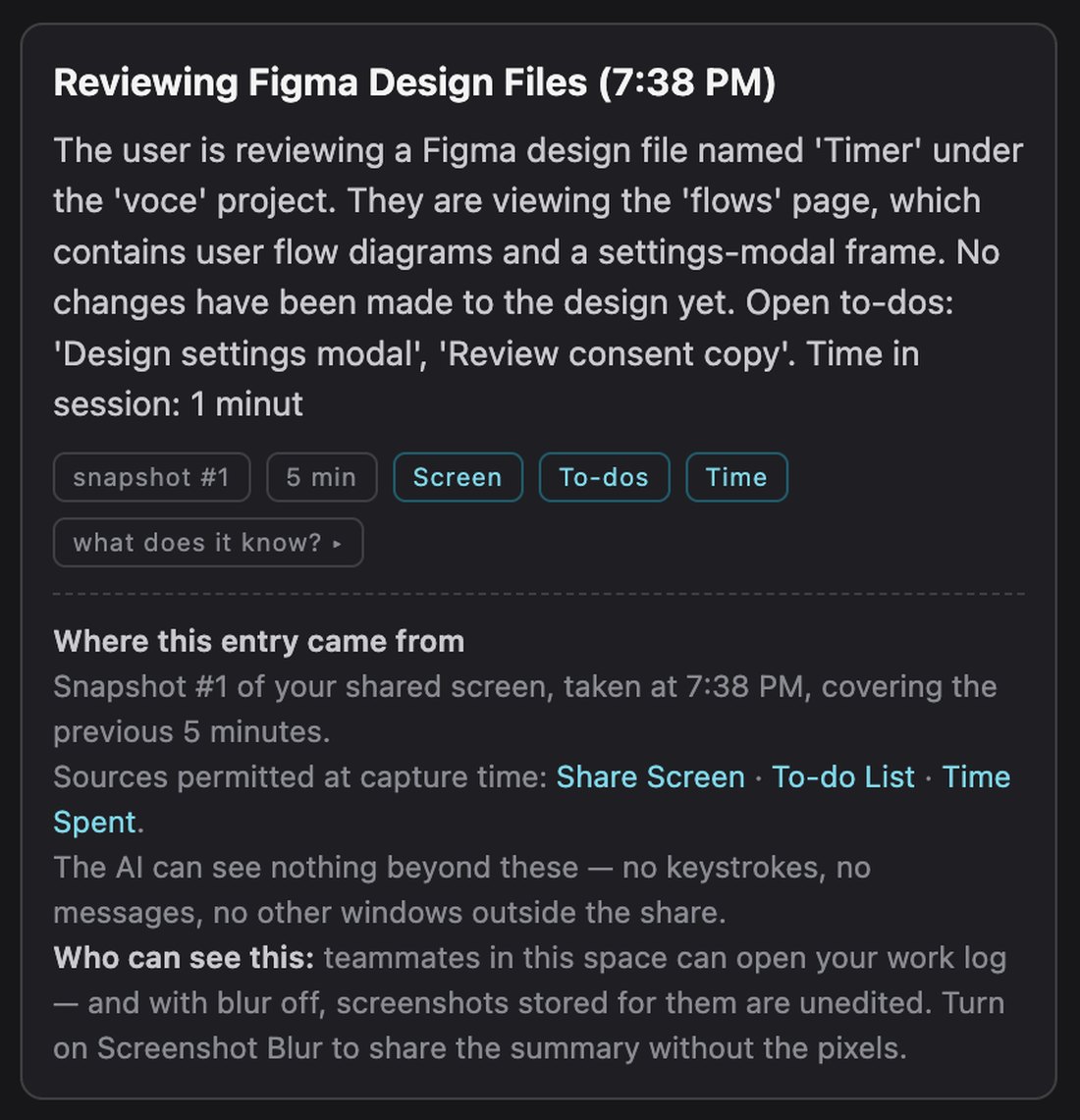
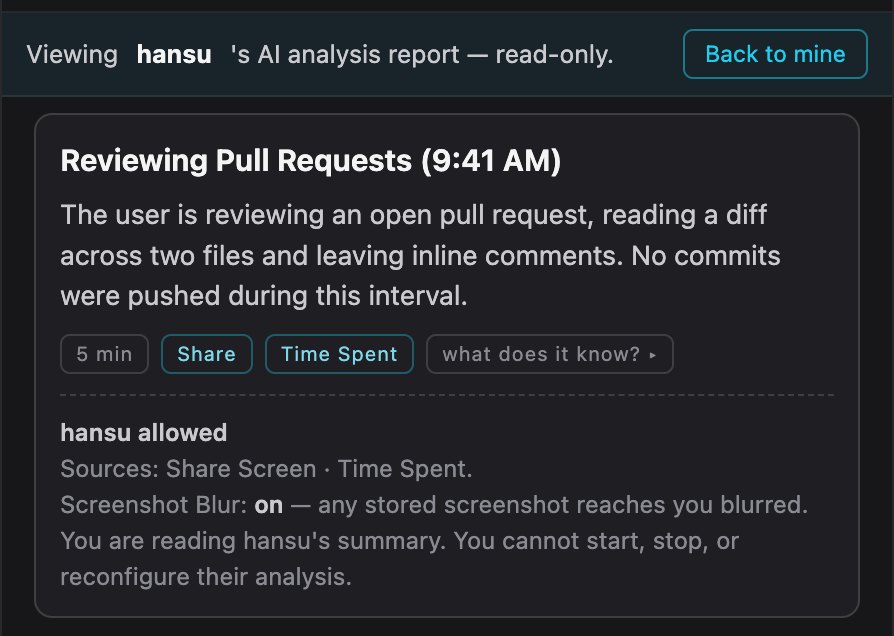
A recording of the feature running in VoceSpace — enabling the worklog, granting permission per source, the capture state staying visible while it observes, and a finished entry traced back to what it saw.
The easiest version of this feature would have minimized friction: turn it on automatically, capture everything, generate a perfect report.
I designed the opposite defaults:
That adds friction to a feature whose promise is effortless automation.
But here, friction is part of the trust model.
The product still creates shared awareness; it just makes the boundary between "my team can see my progress" and "my team can inspect my screen" explicit.
Shipped December 2025 and remains live in VoceSpace.
Together, these three metrics would test the full product thesis:
Does it save time? → Do individuals keep it on? → Does adoption become dense enough to work at the team level?
VoceSpace already combines screenshots, todos, time statistics, and historical context. That is enough to produce factual activity logs. But the harder product ambition is to connect those observations to intent, progress, blockers, and collaboration. The next frontier isn't better description. It's knowing when the AI has enough context to connect the dots — and when it should ask instead of guess.
Verified delivery signal · 12 weeks — concept to shipped
Craft notes · the VoceSpace UI library, extracted from source